
Complete your brand profile: the personalization layer behind Cultiq
How category, audience, markets, objective, deal type, and budget turn Cultiq from a general artist catalog into a brand-specific decision system.
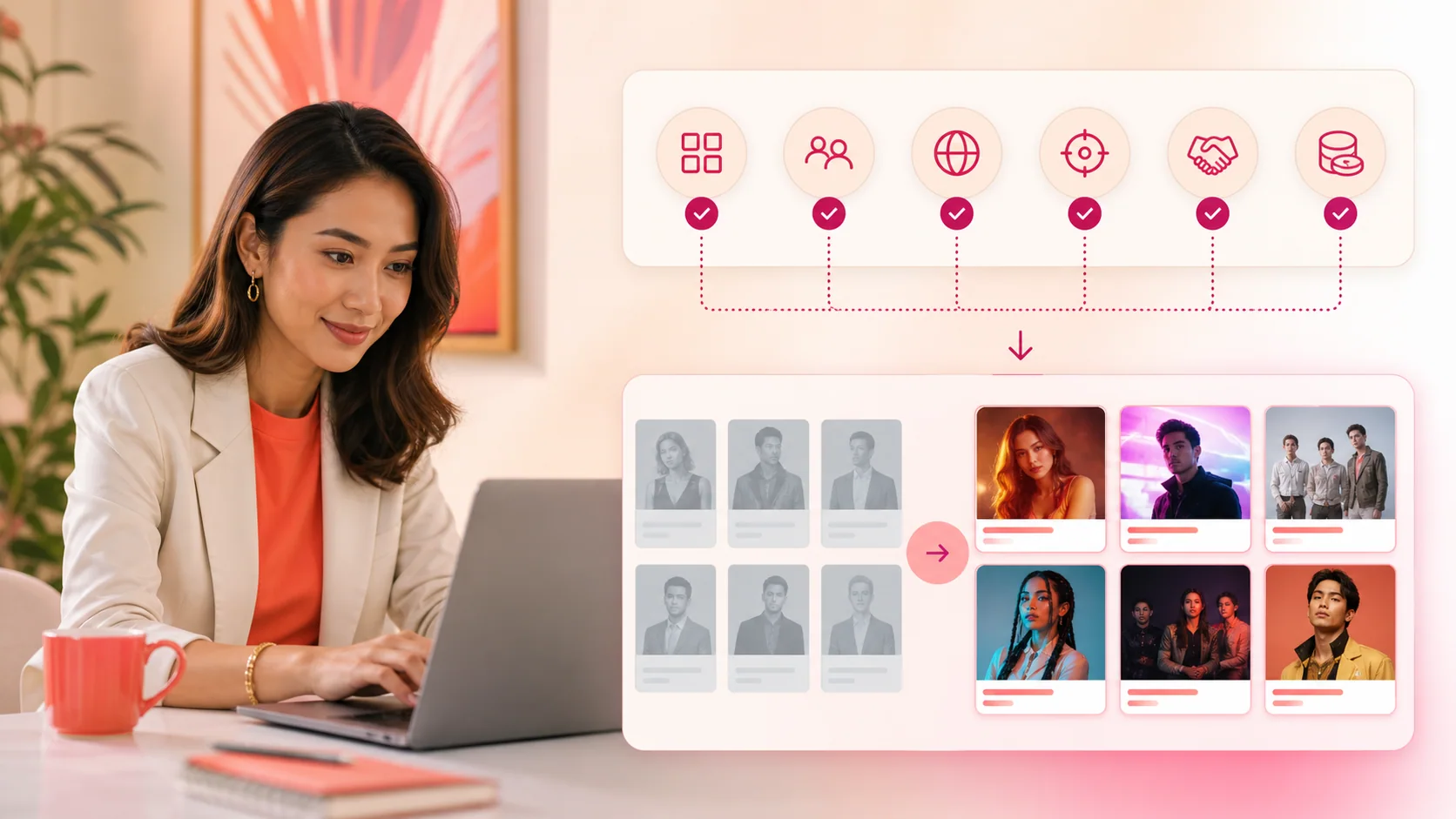

- Your brand profile is not account administration. It is the definition of “fit” that the rest of Cultiq uses.
Cultiq can show you artists without a brand profile. It cannot tell you which artists fit your brand with the same precision. The profile supplies the context behind discovery ranking, FitMatrix scoring, Agent recommendations, and the partnership brief that follows.
The difference between popularity and fit
An artist can be globally famous and still be wrong for your campaign. Cultiq needs to know what your brand sells, who it needs to reach, where the campaign will run, and what the partnership must accomplish before it can measure compatibility.
That information lives in the brand profile. It becomes shared context across the product rather than a brief you repeatedly rebuild.
TakeawayYour brand profile is not account administration. It is the definition of “fit” that the rest of Cultiq uses.
The six inputs that matter
1. Category
Category helps Cultiq evaluate whether an artist sits naturally beside what you sell. It informs Category Affinity and prevents raw fame from being mistaken for commercial relevance.
Choose the category that best represents the product being promoted. If the company spans several categories, use the one relevant to the current brief.
2. Target audience
Audience information gives Cultiq a buyer to compare with artist fandoms. Age, gender, interests, and related preferences help frame Audience Match.
Avoid describing the target as “everyone.” A broad audience produces a broad recommendation. Use the people the campaign must move.
3. Markets
Target regions define where artist influence needs to be useful. This makes Market Coverage a practical campaign question instead of a global popularity number.
Separate priority markets from nice-to-have reach. A candidate strong in Korea and Japan may not solve a brief centered on Japan and South Korea.
4. Objective
Awareness, launch, conversion, repositioning, and retention require different partnership strengths. Objective Alignment tests whether the artist can perform the job in the brief.
Write the outcome before choosing the face.
5. Deal type
An ambassador, one-off campaign, concert sponsorship, fan event, and IP license are different products. The right artist on the wrong structure remains a poor fit.
Use the intended format so Deal Type can be evaluated directly.
6. Budget
Budget keeps the ranking executable. It does not estimate or disclose a guaranteed artist fee; it helps Cultiq weigh whether the scale and likely complexity of an option fit what the brand can realistically pursue.
Use an honest working range rather than an aspirational number.
Where the profile changes the product
Artist Discovery
When the profile contains a category, discovery cards can show brand-specific fit and sort filtered artist rosters around your context.
FitMatrix
The profile supplies the inputs behind Category Affinity, Audience Match, Market Coverage, Objective Alignment, Budget Fit, Deal Type, Platform Reach, and Risk Profile.
Cultiq Agent
The Agent can use the brand context when helping you identify candidates or challenge a shortlist, reducing the need to repeat the same fundamentals in every prompt.
Artist profiles
Brand-fit surfaces inside artist intelligence become specific to the signed-in brand rather than generic claims about whether an artist is “good for brands.”
Match requests
The selected artist, market, deal type, budget, and brand context can move into a structured request when research becomes action.
Keep stable facts separate from campaign inputs
Some profile fields should change rarely: company, category, positioning, and core audience. Others may change per brief: objective, target market, deal type, and working budget.
Before starting a new campaign search, review the campaign-sensitive fields. A stale objective quietly produces a well-calculated answer to the wrong question.
Common profile mistakes
- Leaving category blank, then treating generic scores as personalized.
- Selecting every region instead of the campaign priorities.
- Using a company-wide budget rather than the partnership budget.
- Keeping an old campaign objective active.
- Choosing a deal type before deciding what the activation must do.
- Describing the audience too broadly to discriminate between artists.
A two-minute profile check
Before opening Discovery, confirm:
- Is the active product category correct?
- Are the first-listed markets the real priorities?
- Does the objective describe this campaign?
- Is the deal type plausible?
- Is the budget executable?
- Can the target audience be compared with an artist fandom?
When those answers are clear, Cultiq becomes a decision system built around your brief rather than a catalog sorted by general visibility.
Complete your brand profile and then open FitMatrix.
Frequently asked questions
The profile defines what fit means for your company, so artists can be evaluated against your category, audience, markets, objective, deal type, and budget.
Yes, but brand-specific fit scores and recommendations become more useful once the essential fields are complete.
Keep stable brand facts accurate, then update campaign-sensitive inputs such as objective, markets, deal type, and budget when the brief changes.

Use artist tiers to set the right level of partnership diligence
A practical Cultiq workflow for scaling artist research, approvals, and deal questions by tier without treating S-, A-, B-, or C-tier as a verdict.

Verify AI-assisted artist intelligence before a partnership decision
A practical Cultiq workflow for separating useful decision support from facts your team must verify before recommending an artist or opening a deal conversation.

Resolve conflicting artist-fit signals in Cultiq
A practical framework for deciding when audience, market, momentum, tier, budget, and risk point in different directions on an artist shortlist.